Account Security · Beginner
How to Secure Your TradingView Account: 2FA, Login Devices, and Third-Party Checks
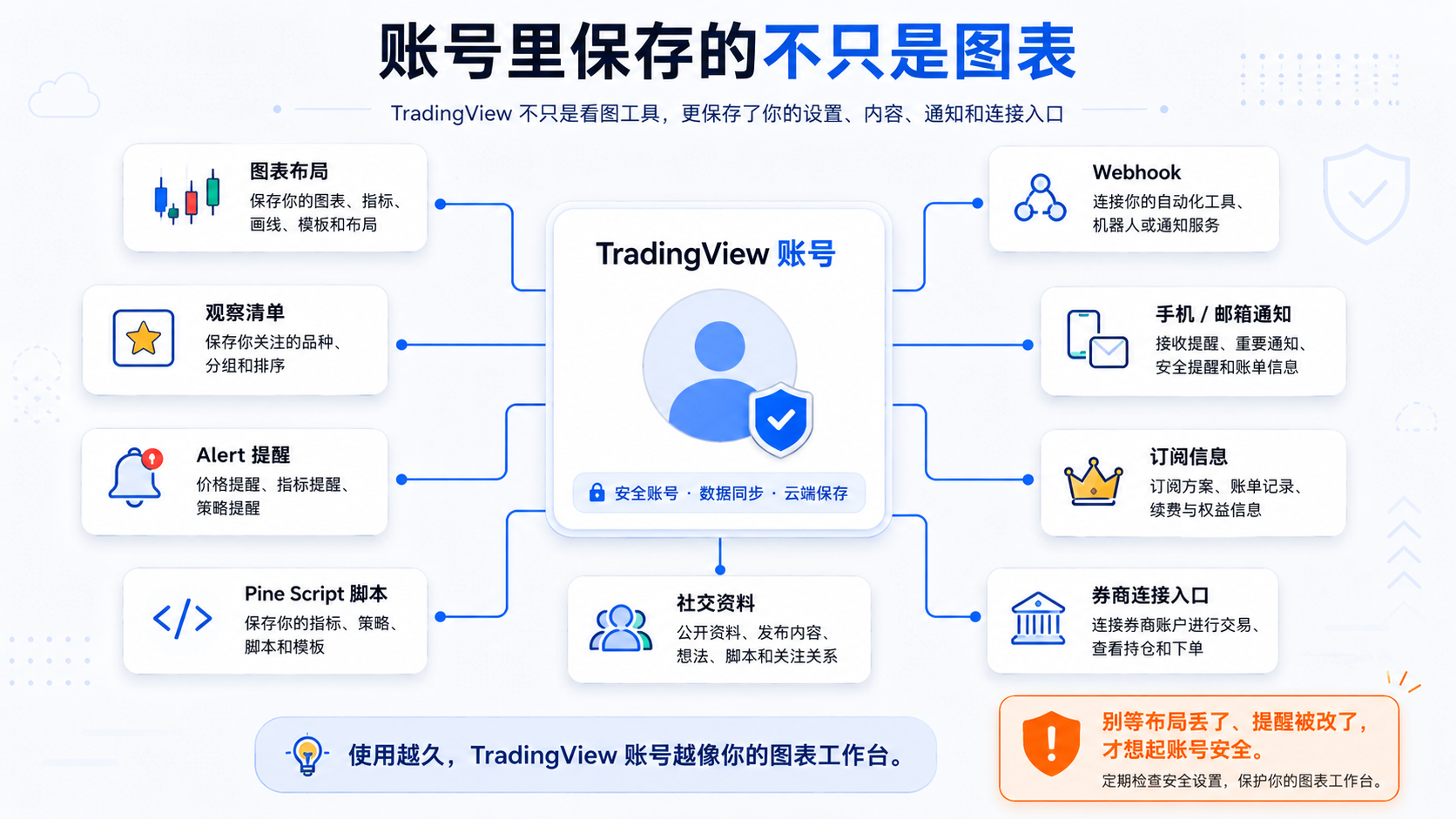
Many people treat TradingView like an ordinary charting website—setting a careless password, staying logged in on many devices for a long time, and forgetting what tools they once connected—until alerts get changed, a layout is lost, or an unfamiliar third-party connection appears. Your account holds more than charts: layouts, alerts, webhooks, and broker entry points. If you have used automation or real connections, you should check security regularly.
Bottom Line First: A TradingView Account Deserves the Same Care as a Trading Account
TradingView is not a fund-custody account, but it can be tightly bound to your workflow: watchlists, review layouts, price alerts, strategy alerts, scripts, subscriptions, webhooks, broker connections, and notification settings. When someone else logs into your account, alerts can be changed, a webhook can point to an unfamiliar address, and layouts can be deleted—and you may not notice right away.
Official security advice includes: enable two-factor authentication, use a strong password, watch out for phishing, and trust only official channels. Don't wait for a problem to start thinking about security.
What Important Things Might a TradingView Account Store?
1. Chart Layouts and Drawings
Trend lines, support/resistance, notes, indicators, and multi-chart layouts in your Layout; they can be changed or deleted during an incident. See the object tree for organizing drawings and annotations.
2. Alerts and Notifications
Price, indicator, drawing, and strategy alerts, plus phone/email/webhook notifications; if changed, you may miss key conditions or receive strange notifications. See the alerts manager.
3. Watchlists
Your daily entry point for watching markets; changed or deleted symbols disrupt your rhythm.
4. Pine Script and Community Content
Scripts you wrote or saved, and published content; changed logic may go unnoticed for a long time.
5. Subscription and Account Details
Paid subscription, email, phone, username, and public profile.
6. Broker Connections and Third-Party Tools
When you have connected a broker, webhook, or automation tool, the security priority should rise. Brokers can be connected via Trade and logged out in the Account manager.
Why Do Two-Factor Authentication and a Strong Password Matter?
Strong Password: Don't Share It With Other Platforms
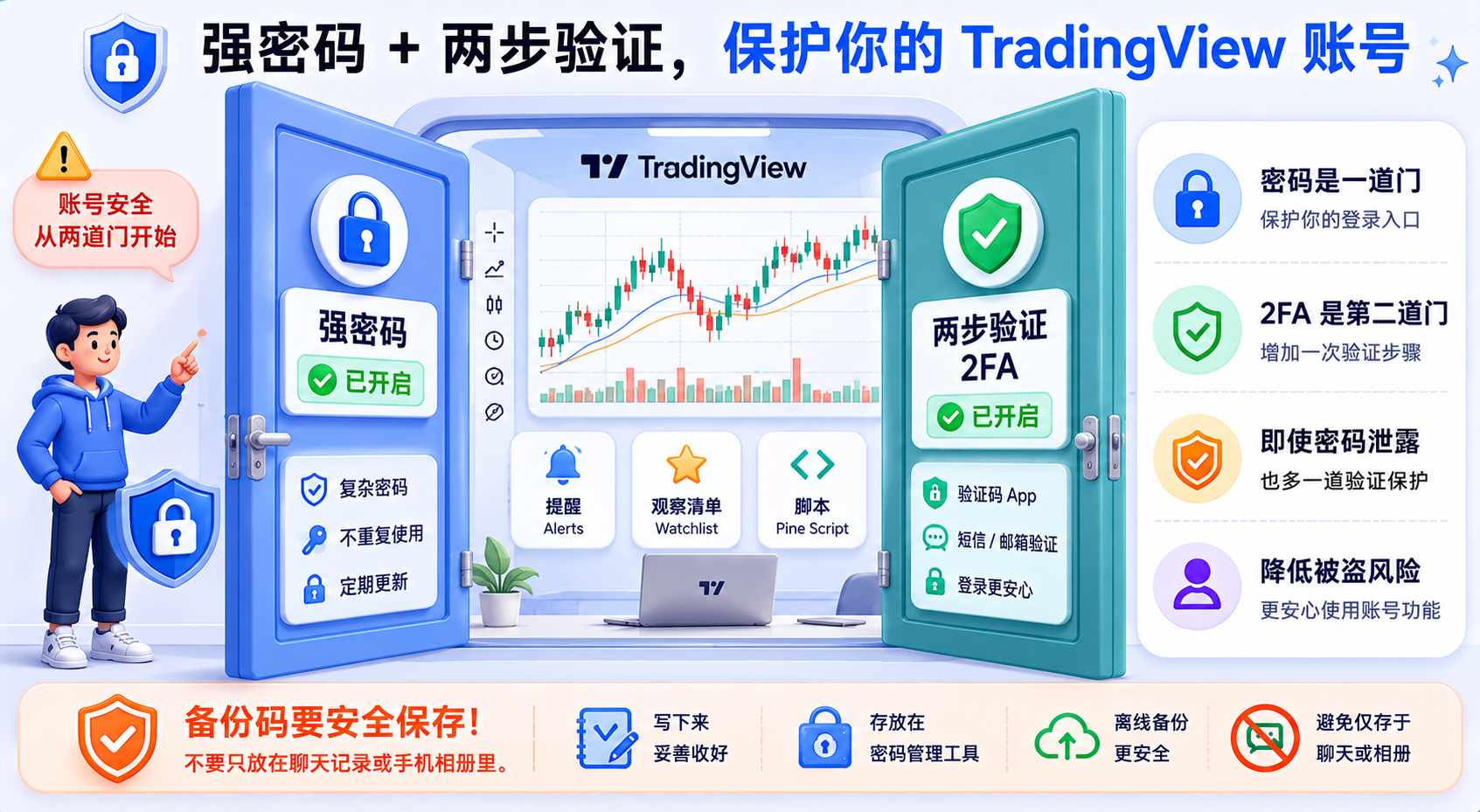
Many breaches come from reusing passwords from other sites. A strong password should: not be shared with your email/broker/social accounts; not use a birthday, phone number, or common weak password; not be given to others; and ideally be stored in a password manager. Official advice is also to create a hard-to-guess, non-reused password.
Two-Factor Authentication: Another Door After the Password
With 2FA, login requires a one-time code in addition to the password. TradingView supports an authenticator app or SMS, and an authenticator app is preferred (usually safer than SMS). Even if the password leaks, 2FA makes it hard for others to log in directly.
Save Your Backup Codes Carefully
After enabling 2FA, backup codes are generated to restore access when your device is unavailable. Save them offline, keep them separate from your password, and don't give them to anyone. Before switching phones, confirm the migration method: log in with a backup code or an active session, disable 2FA, then re-enable it.
How to Check Login Devices and Suspicious Activity
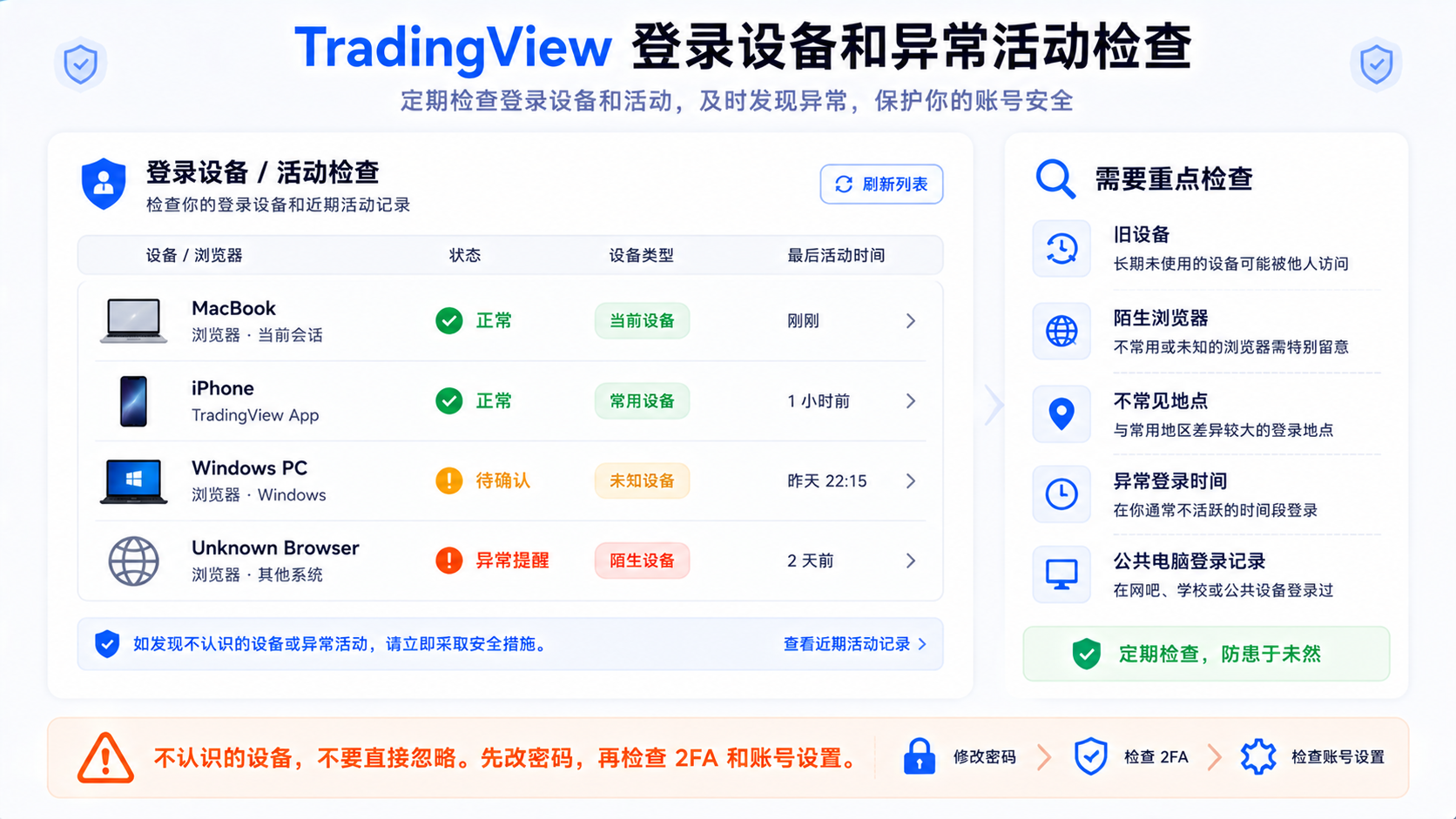
Security isn't a one-time setup. Check from account settings, privacy and security, login sessions, or activity records (the entry point follows the current interface).
- Unfamiliar devices — computers, browsers, old phones, or public devices you don't recognize; change the password and confirm 2FA first when found;
- Old devices still logged in — log out sessions on devices you've replaced, sold, lent out, or had repaired;
- Unusual changes — alerts, webhook URLs, layouts, watchlists, profile, or subscription being changed;
- Email security notices — your email itself also needs a strong password and 2FA.
What to Watch When Connecting a Broker
TradingView can connect to some brokers as a charting and trading interface, but funds and order execution still follow the broker. See order types to understand order logic.
- Connect only from official entry points — don't click unfamiliar links; enter from the platform's broker list or the broker's official site;
- Know which account you're connecting — demo or real, which broker, and whether it has order permission;
- Log out of infrequent connections when done — Account manager → Log out;
- Mind connection limits — some brokers allow only one active connection; connecting the same account in multiple tabs may interrupt each other, which isn't necessarily someone else logging in.
What to Watch With Webhooks and Third-Party Tools
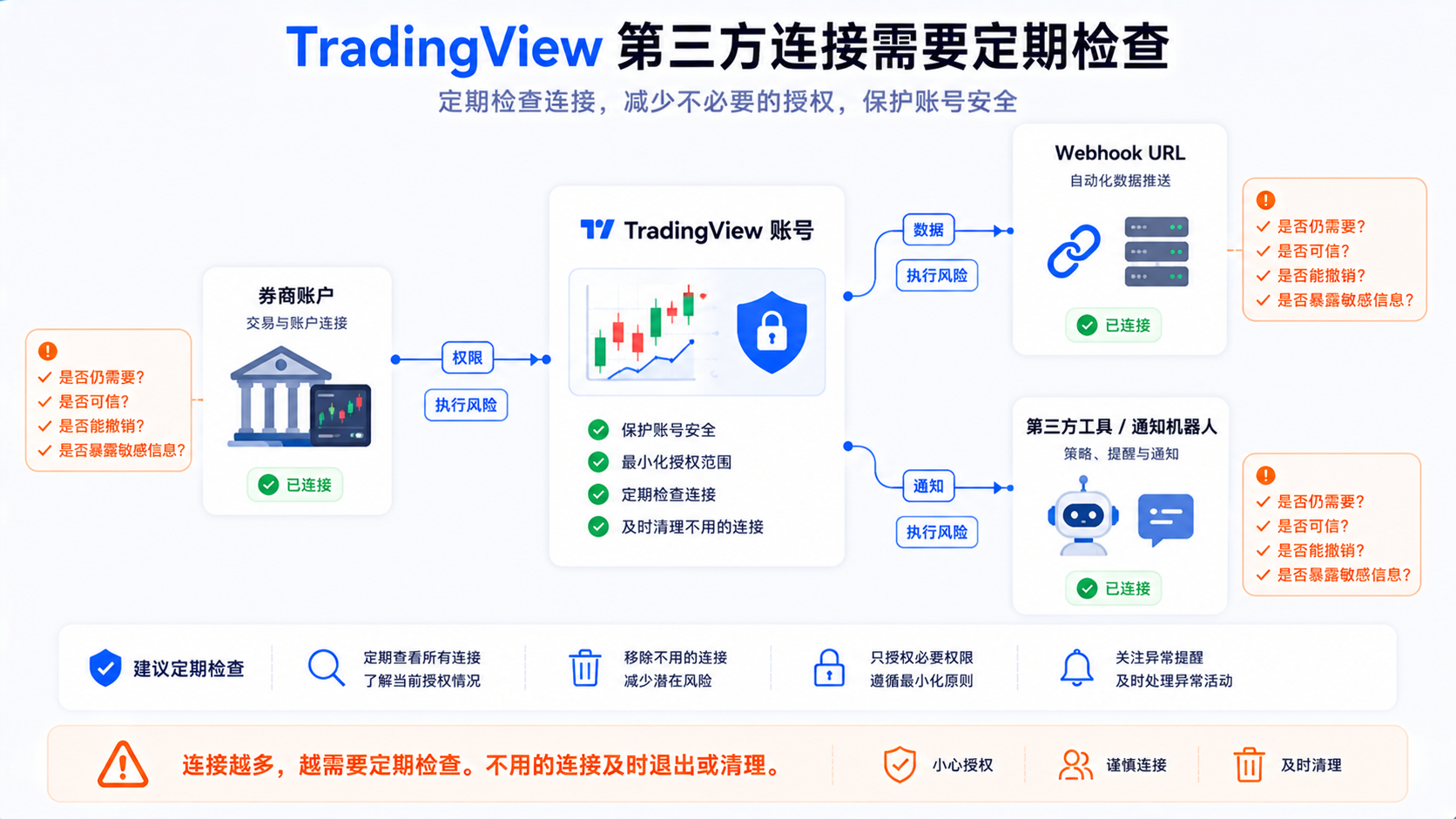
A webhook sends data to a specified URL after an alert fires—convenient but needs care. For an introduction, see the webhook guide.
1. Don't Make the Webhook URL Public
Don't put it in public articles, communities, GitHub, screenshots, or tutorial examples; before a screenshot, check whether the Alert panel exposes the full URL.
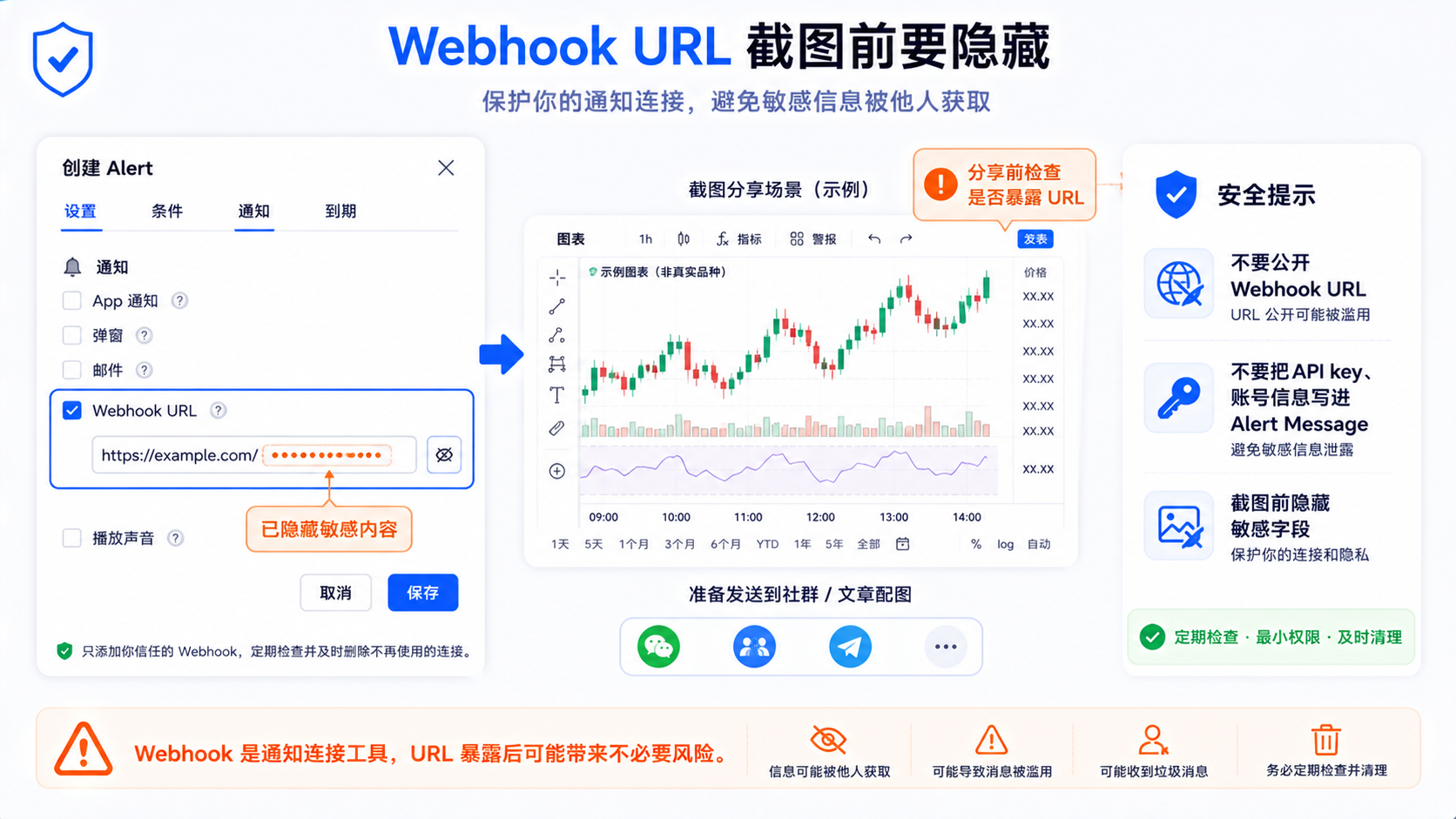
2. Don't Write Sensitive Info in the Alert Message
Don't write passwords, API keys, broker tokens, private contact info, or real account details—the message may be logged by a third party.
3. Authorize Third-Party Automation Carefully
Before connecting Discord, Telegram, spreadsheets, or order systems, confirm permissions, whether it can place orders, logging, how to revoke, and source trustworthiness.
4. A Webhook Is Not an Automated-Trading Safety System
Connecting to an execution end requires source verification, permissions, risk control, and logging; this article does not provide automated-trading configuration.
The Security Role of Phone and Email Notifications
If your phone suddenly gets an unfamiliar alert, go to alert troubleshooting to check the source rather than swiping it away. Email may receive login, reset, 2FA, billing, and security notices—a password-reset email you didn't request means you should check your account and email immediately. Your email should also have 2FA enabled.
Regular Security Check Checklist
Check monthly is recommended; those with many webhook or broker connections can check more often.
| Check item | Why it matters |
|---|---|
| Is the password unique | Avoid fallout from breaches on other platforms |
| Is 2FA enabled | Prevent login with the password alone |
| Are backup codes safely stored | Restore access after switching phones |
| Is the email secure | Key entry point for account recovery |
| Is the phone number still usable | SMS verification and notifications may depend on it |
| Are login devices normal | Investigate unfamiliar and old devices |
| Is the watchlist unusual | Detect changes early |
| Have alerts been modified | Prevent alerts being changed by mistake |
| Has the webhook URL leaked | Prevent exposing the receiving end |
| Is the broker connection still needed | Log out when not in use |
| Are third-party tools trustworthy | Avoid excessive authorization |
| Are subscription and billing normal | Prevent profile or payment anomalies |
What to Do First When Something Looks Wrong
- Change your TradingView password immediately;
- Check and enable 2FA;
- Confirm backup codes are safely stored;
- Check email security;
- Check login devices and activity records;
- Log out unfamiliar devices or sessions;
- Check alerts, webhooks, watchlists, and layouts;
- Log out infrequent broker connections;
- Check third-party tool authorizations;
- If a real broker is connected, contact the broker to check too.
Common Misconceptions: Why Account Security Is Easily Overlooked
Misconception 1: It's Just a Charting Site, Not Important
After long-term use it's a workbench, holding alerts, layouts, scripts, and connection entry points.
Misconception 2: A Password Is Enough
Passwords can be reused, leaked, or phished; 2FA is a necessary supplement.
Misconception 3: A Webhook Is Just a Notification
Once connected to a third party, the URL, message, and permissions all need management.
Misconception 4: Don't Log Out After Connecting a Broker
Logging out after temporary testing is safer, especially on shared devices.
Misconception 5: Email Isn't Important
Email is the entry point for recovery and security notices; if insecure, it drags down all your accounts.
Summary: Don't Wait for a Problem to Remember Account Security
Your account may store watchlists, layouts, alerts, scripts, subscriptions, webhooks, and broker entry points. The basic habits: a unique strong password, 2FA enabled, saved backup codes, regular login-device checks, cleaning up unnecessary connections, cautious webhook use, and protecting email and phone notifications.
The best state is that you barely notice it day to day, yet many risks have already been blocked before anything happens.
FAQ
Does TradingView have two-factor authentication?
Yes. It supports an authenticator app or SMS, with the app preferred. You can enable it in Account Settings → Privacy and Security.
What in a TradingView account needs protection?
Layouts, drawings, watchlists, alerts, scripts, subscription, social profile, webhooks, and broker connections—treat it as an important workbench to protect.
What about two-factor authentication after switching phones?
Log in with a backup code or an active session, disable the old 2FA, then re-enable it on the new device; backup codes must be saved in advance.
What security risks does a TradingView webhook have?
A leaked URL, messages containing sensitive info, over-broad third-party permissions, or an execution end without verification. Don't make the URL public, and don't write passwords or API keys.
What should you note after connecting a broker?
Confirm the official entry point, account type, and permissions; log out connections you don't use. Funds and orders follow the broker's rules.